
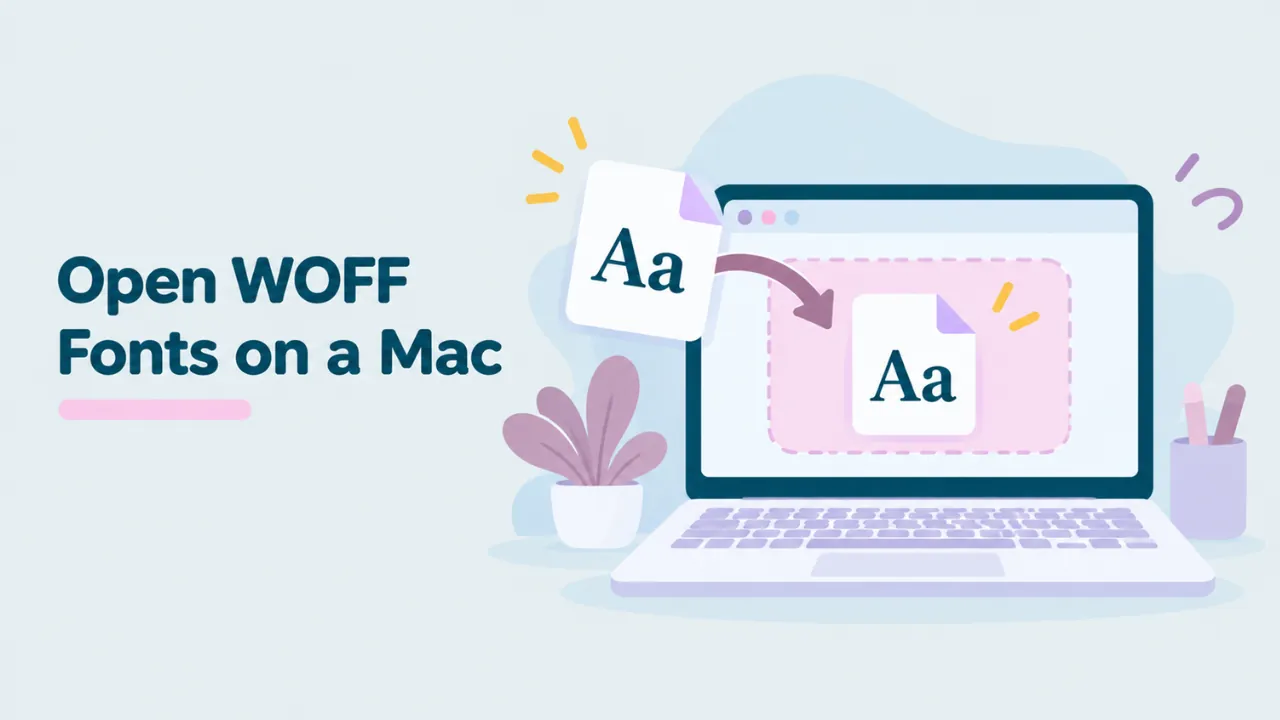
How to Open and View WOFF Fonts on a Mac
Macs are great with fonts. Font Book previews them, groups them and installs them with one click. But drop a WOFF or WOFF2 file on it and nothing useful happens. This guide shows you how to open WOFF fonts on a Mac, see what is inside, and install them so you can use them in Pages, Keynote, Word or Adobe apps.
Why your Mac will not open WOFF files
WOFF and WOFF2 are web font formats. They carry normal font data, but packed so websites load faster. macOS installs desktop font formats, mainly TTF and OTF. Font Book does not unpack web fonts, so it cannot install a WOFF file.
You may see a plain document icon, or macOS may ask which app to use. The file is fine. You just need a tool that can read web fonts. If you want the background, read what a WOFF file is.
The quick way: open the WOFF file in Safari
Safari, Chrome and Firefox on Mac all read WOFF and WOFF2 inside web pages. Our free WOFF viewer gives them a page to show your font on.
- Open Safari (or Chrome or Firefox).
- Go to openwofffile.com.
- Open Finder and find your WOFF or WOFF2 file.
- Drag it onto the pink box. Or click “Choose font file” and pick it.
- The preview appears in a second or two.
Your font is not uploaded. It is read on your Mac, inside your browser.
Try it: Drag your WOFF file from Finder into the free viewer.
What you can check in the viewer
How the font looks
Click the sample text and type your own words. Use the slider to change the size. Below the preview, the font appears at four sizes, so you can judge it as body text and as a heading.
What the font is called
Scroll to Font information. The Font family, Style and Full name boxes show the real name stored in the font. Web font files often have meaningless names, so this matters. See how to find the font name inside a WOFF2 file for more.
Which characters it has
The Glyphs grid shows every character. If you plan to write in a language with accents, check that they are there. Missing characters will show as boxes later. Our guide on why WOFF fonts show boxes explains why that happens so often with web fonts.
The license
Read the Copyright and License boxes before you install anything. A font you saved from a website is not always free to use.
How to install a WOFF font on a Mac
Font Book needs a TTF or OTF file. The viewer makes one for you.
- Open the WOFF or WOFF2 file in the viewer.
- Click “Convert & download”. You get a .ttf or .otf file, depending on the font.
- Open your Downloads folder in Finder.
- Double-click the new file. Font Book opens a preview.
- Click Install.
The font is now available in every app on your Mac. Some apps need a restart to see it.
For the full conversion story, read how to convert WOFF to TTF or how to convert WOFF2 to TTF.
If Font Book shows warnings
Font Book checks fonts before it installs them. With web fonts, it sometimes shows warnings like “minor problems found”. This happens because web fonts are often trimmed to save space, and Font Book notices the missing bits.
- Minor warnings: you can usually install anyway. Tick the font and click Install Checked.
- Serious errors: the font may be damaged or heavily cut down. Try a fresh copy from the original source.
Font Book warnings are a good hint that a web font is not complete. If the font is free, download the full desktop version from its maker instead.
Keep your font list tidy
Designers often end up with hundreds of fonts, and web fonts can make it worse. A few habits keep Font Book useful.
- Install only what you will use. Look at the font in the viewer first. If it does not fit, do not install it.
- Use collections. In Font Book, create a collection for each project. Drag the fonts you installed for that project into it.
- Turn fonts off instead of deleting. Right-click a font and choose Deactivate. It stays on your Mac but leaves your menus.
- Name your converted files clearly. Rename the downloaded TTF to something like “brand-bold.ttf” before you install. This does not change the font name in menus, but it helps you find the file later.
Why web fonts are often incomplete
Websites care about speed, so they strip fonts down. A site in English may load a font file with only Latin letters. A site might also load only Regular and Bold, and skip the rest of the family.
When you save that file and install it on your Mac, you only get that slice. That is why a font can look perfect on the website and then miss accents or weights on your Mac. The viewer’s Glyph count gives you a quick clue. A few hundred glyphs usually means a Latin-only slice. If you need the full font, search for its family name and get the complete version from the maker.
Where macOS keeps installed fonts
| Install type | Folder |
|---|---|
| Just you (default) | ~/Library/Fonts |
| All users on the Mac | /Library/Fonts |
You can change the default in Font Book’s settings. To remove a font later, select it in Font Book and press Delete, or right-click and choose Remove.
Using the font in Mac apps
Pages, Keynote and Numbers
After you install the TTF or OTF, pick the font from the Format panel. If a Keynote file will be opened on another Mac, that Mac needs the font too. Otherwise Keynote swaps in another font.
Microsoft Word for Mac
Word for Mac uses fonts installed in macOS. Quit Word completely with Command and Q, then open it again to refresh the list.
Adobe apps
Photoshop, Illustrator and InDesign use installed fonts too. They cannot open WOFF files directly. Convert and install first, then restart the app.
Figma and Canva
Web design apps often use fonts from your system or let you upload fonts. Most expect TTF or OTF. Converting first is the safe route.
Converting many WOFF files on a Mac
If you have a folder full of web fonts, the command line is faster than converting one by one. Open Terminal and install fontTools with pip:
pip3 install fonttools brotliThen, inside the folder with your fonts:
for f in *.woff2; do fonttools ttLib.woff2 decompress "$f"; doneEach WOFF2 file gets a desktop copy next to it. For plain WOFF files, you can use a short Python command instead. Our WOFF to TTF guide shows it.
Other Mac apps that open WOFF files
- FontForge is free and runs on Mac. It opens WOFF files and can save them as TTF or OTF. Good for editing. See how to edit a WOFF file.
- Glyphs is a paid, Mac-only font editor for type designers. It imports and exports WOFF and WOFF2.
- FontLab is a paid editor that also handles web fonts.
For a quick look, the browser viewer is faster than any of these. For a longer comparison, see what app opens WOFF files.
Common problems on a Mac
Double-clicking the WOFF file opens the wrong app
Right-click the file, choose Get Info, and change “Open with”. Even so, no Mac app shows a useful preview of a WOFF file. Keep the viewer bookmarked instead.
The font does not appear after installing
Quit the app fully and open it again. If it still does not show, open Font Book and check that the font is listed and turned on.
The font name looks odd in the menu
Apps show the name stored inside the font. Some web fonts have short or unusual names. The file name makes no difference.
Some letters show as boxes
The font lacks those characters. Web fonts are often cut down to one language. Get the full font from the source if you need more.
Common questions
Can Font Book open WOFF files?
No. Font Book installs TTF, OTF and a few other desktop formats. Convert WOFF files first.
Is it safe to install fonts from websites?
Only install fonts from sources you trust. Viewing a font in a browser is safe, because browsers check web fonts before they use them.
Can I use WOFF fonts in Keynote without converting?
No. Keynote uses installed fonts. Convert the WOFF file to TTF or OTF and install it.
Does converting change the font?
No. The letters, spacing and names stay the same. Only the packing is removed.
Summary
Your Mac cannot open WOFF files in Font Book, but Safari can read them. Drag the file into a browser-based WOFF viewer to see it, check its name and characters, and read its license. To use it in Mac apps, click Convert, then double-click the new TTF or OTF and click Install.



2 Comments