How to Open WOFF Files on iPhone and iPad
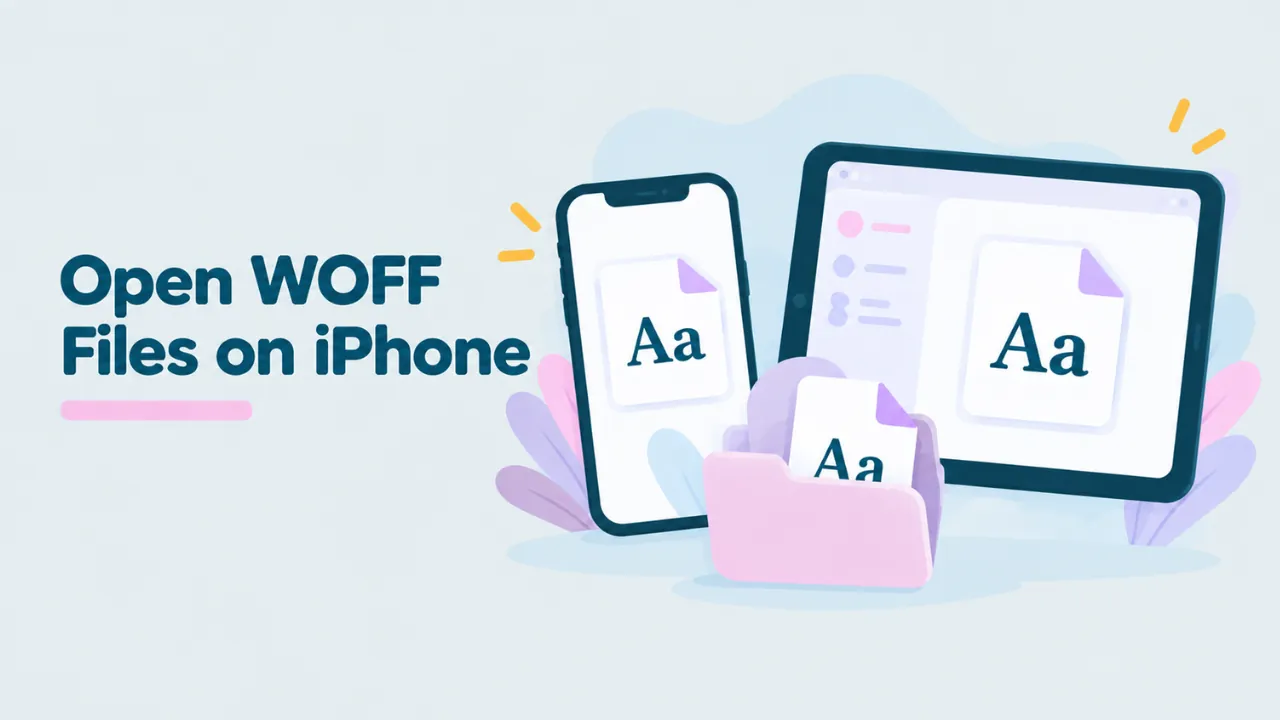
You tap a .woff file in the Files app on your iPhone and get a blank preview with the file name and size. No letters, no font. iOS does not know how to show WOFF files. This guide shows you how to open WOFF files on iPhone and iPad using Safari, what you can learn from them, and how to get the font onto a computer.
Why iOS cannot preview WOFF files
The Files app and Quick Look on iOS preview many kinds of files, like PDFs, photos and documents. WOFF and WOFF2 are web font formats, and iOS has no preview for them. You just see a generic icon.
Safari, on the other hand, uses WOFF and WOFF2 all the time. Most websites you visit load fonts in these formats. So the trick is to let Safari show you the font through a web page. For background on the format, read what a WOFF file is.
How to open a WOFF file on iPhone, step by step
- Open Safari.
- Go to openwofffile.com.
- Tap the pink box that says “Choose font file”.
- A menu appears. Tap Choose Files (on some versions, Browse).
- The Files app opens. Find your font in Downloads, On My iPhone or iCloud Drive.
- Tap the file. The font opens after a moment.
Your font is read by Safari on your phone. It is not uploaded. Chrome and other browsers on iPhone work the same way.
Try it: Open your WOFF file in Safari. Free, private and quick.
What you will see
A live preview
Tap the sample text to type your own. Drag the size slider to make it bigger or smaller. Buttons above the preview switch to the alphabet, or to numbers and symbols.
Font information
Scroll down to read the real name of the font, its style (like Bold or Italic), version, designer and license. This is the fastest way to identify a font someone sent you. See how to find the font name inside a WOFF2 file for help reading these fields.
Every glyph
Further down, the Glyphs grid shows every character, each with its Unicode code. Tap one to copy it. Icon fonts show their icons here.
Where WOFF files end up on iPhone
| Source | Where to look |
|---|---|
| Downloaded in Safari | Files app, Downloads folder (often in iCloud Drive) |
| Mail attachment | Tap the attachment, then the Share button, then Save to Files |
| Messages or WhatsApp | Tap the file, then Share, then Save to Files |
| AirDrop from a Mac | Files app, Downloads |
| Cloud storage apps | Open the app and export or save the file to Files |
Once the font is in the Files app, the viewer can reach it.
Opening WOFF2 files on iPhone
WOFF2 files open the same way. The first one takes a little longer, because the page loads a small WOFF2 reader. Keep your connection on for that first file. For more, see how to open a WOFF2 file on any device.
Can you install a WOFF font on iPhone?
Not directly. iOS does allow custom fonts, but only in specific ways:
- Font apps from the App Store can install fonts for use in apps that support custom fonts, like Pages, Keynote and some design apps.
- Configuration profiles can also install fonts, mostly used by companies.
Neither of these accepts WOFF files as they are. They expect TTF or OTF. So if you want to use a web font on your iPhone, convert it first:
- Open the font in the viewer.
- Tap “Convert & download”.
- Save the TTF or OTF to Files.
- Use a font installer app from the App Store to install it, following that app’s steps.
For the details of converting, read how to convert WOFF to TTF.
Tip: the converter needs a recent version of iOS. If the Convert button does not work, update your iPhone in Settings, then General, then Software Update.
Using the iPad for fonts
iPad works the same way as iPhone, with more room. A few extras make it nicer:
- Split View: open Safari with the viewer on one side and Files on the other. You can drag a font file straight onto the pink box.
- Keyboard: with a keyboard attached, typing sample text is much faster.
- Design apps: many iPad design apps accept custom TTF and OTF fonts. Convert first, then import.
Moving the font to your computer
If you need the font on your Mac or PC, send the converted file across:
- AirDrop to a Mac. It lands in your Downloads folder.
- iCloud Drive syncs it to your Mac or to iCloud for Windows.
- Email it to yourself.
Then install it on the computer. See how to open WOFF fonts on a Mac or how to install a WOFF font on Windows.
Common problems on iPhone
The Files app shows only a blank icon
That is normal. iOS cannot preview WOFF files. Use the viewer in Safari.
The file picker does not show the font
Make sure the font is saved in the Files app, not only inside a chat or email. Use Share, then Save to Files first.
The font shows boxes
The font lacks those characters. Web fonts are often cut down to one language. See why WOFF fonts show boxes.
The viewer says it is not a font
The file may be a web page saved with a font name, or a broken download. Get the file again. More ideas in can’t open a WOFF font.
A quick example
A friend texts you a file called logo-font.woff and asks what font it is. Here is the whole job on your iPhone:
- Tap the file in Messages, then Share, then Save to Files.
- Open Safari and go to the viewer.
- Tap the pink box, then Choose Files, and pick logo-font.woff.
- Read the Font family field. It says “Playfair Display”.
- Reply with the name. Your friend can now find the full font online.
It takes less than a minute.
iPhone vs Android: what is different?
The steps are almost the same on both. The main differences are where files live and how you pick them.
| iPhone and iPad | Android | |
|---|---|---|
| Browser to use | Safari, or any browser | Chrome, or any browser |
| Where files live | Files app (On My iPhone, iCloud Drive) | Downloads folder, Files app |
| Picking a file | Choose Files in the menu | Browse or Files in the picker |
| Installing fonts | Only through font apps, TTF or OTF | Not normally possible |
If you use both kinds of phone, our guide on opening WOFF files on Android covers the Android side in detail.
Checking a font before you buy it
Designers often find a font on a website and want to know if it is worth buying. Your iPhone can help you check a few things on the spot:
- The exact name and weight, so you buy the right one.
- The foundry, so you know where to buy it.
- The characters, so you know if it covers your language.
- The license text, which often names the seller.
Open the file in the viewer and scroll through Font information. Then search for the foundry and family name. You will usually find the official shop page within a minute. Buying from the maker gives you the full font with every character and a proper license.
Is it safe?
Yes. Opening a font in Safari is safe. Safari loads fonts from websites all day and checks them before using them. The viewer keeps the file on your device. Be more careful with font installer apps. Stick to well-reviewed apps from the App Store.
Common questions
Is there a WOFF viewer app for iPhone?
You do not need one. Safari plus a browser-based viewer works, with nothing to install.
Does this work in Chrome on iPhone?
Yes. All browsers on iPhone can use the viewer.
Can I use a WOFF font in Pages on iPad?
Only after converting it to TTF or OTF and installing it with a font app that supports iPadOS fonts.
Do I need to be online?
To load the viewer page, yes. After that, WOFF files open without a connection. Open one WOFF2 file while online so its reader loads.
Can I delete the font after viewing?
Yes. The viewer does not keep a copy. Delete the file from the Files app when you are done, and it is gone from your phone.
Why is the preview text small on my iPhone?
The preview starts smaller on narrow screens. Drag the size slider to make it bigger.
Summary
Your iPhone cannot preview WOFF files, but Safari can read them. Open a free WOFF viewer in Safari, tap the pink box and pick the font from the Files app. You can see the font, read its name and license, and view every glyph. To use it in apps or on a computer, convert it to TTF or OTF first.