
What Is a WOFF2 File?
WOFF2 files power the fonts on most modern websites. If you open a website’s font folder today, you will almost always find .woff2 files. But your computer cannot install them, and double-clicking one does nothing useful. This guide explains what a WOFF2 file is, why it exists, how it works and what you can do with one.
WOFF2 in one sentence
A WOFF2 file is a font compressed very tightly for websites, so pages load faster.
The name stands for Web Open Font Format 2.0. It is the second version of WOFF. The file extension is .woff2, and web servers send it with the type font/woff2.
Why WOFF2 was made
The first WOFF format already made web fonts smaller than TTF and OTF. But web fonts were still a big part of page weight, especially for languages with many characters, like Chinese or Japanese.
Google and other members of the W3C Web Fonts Working Group looked for a better approach. They built a new format with two big ideas:
- Better compression. WOFF2 uses Brotli, a compression method developed at Google. It squeezes data harder than the zlib compression in WOFF.
- Font-aware packing. Before compressing, WOFF2 rewrites parts of the font into a shape that compresses better. Generic compression cannot do this, because it does not understand fonts.
The result is that WOFF2 files are about 30% smaller than WOFF on average. For some fonts, the saving is even bigger. The W3C made WOFF2 an official recommendation in 2018.
What is inside a WOFF2 file?
Like WOFF, a WOFF2 file wraps a normal font. The font can have TrueType outlines (like a TTF) or PostScript outlines (like an OTF). WOFF2 can even hold a font collection, which is several fonts in one file.
The main parts are:
| Part | What it does |
|---|---|
| Header | Starts with the letters wOF2, then sizes and counts |
| Table directory | Lists each font table in a compact form |
| Compressed data | All tables squeezed together in one Brotli stream |
| Metadata (optional) | Notes about the maker and license |
| Private data (optional) | Extra data for the font maker |
One detail sets WOFF2 apart. The TrueType glyph outlines are stored in a special, compact layout. And the table that says where each glyph starts is left out, because it can be rebuilt from the outlines. When a browser opens the file, it rebuilds these tables before using the font.
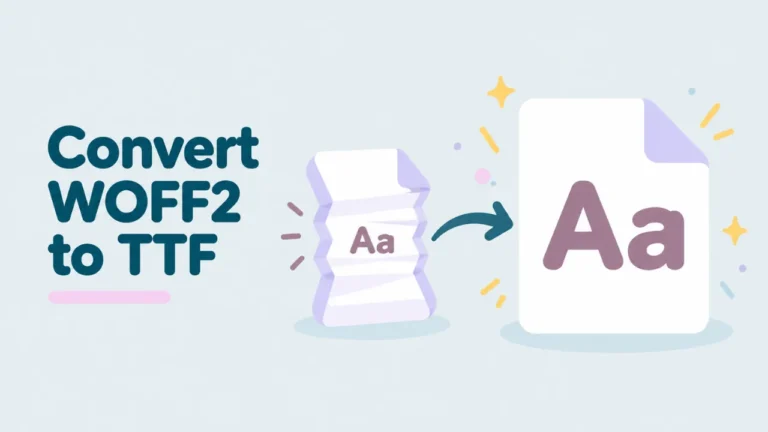
This is also why converting WOFF2 back to TTF gives you the same font, but not always the same exact bytes. The shapes, spacing and names are unchanged. Our guide on converting WOFF2 to TTF explains this further.
WOFF2 vs WOFF vs TTF
| TTF / OTF | WOFF | WOFF2 | |
|---|---|---|---|
| Made for | Computers and print | Websites | Websites |
| Compression | None | zlib, per table | Brotli, whole font, plus font tricks |
| Typical size | Largest | Smaller | Smallest |
| Install on PC or Mac | Yes | No | No |
| Browser support | Most browsers | All modern browsers | All modern browsers |
For a closer look at the two web formats, read WOFF vs WOFF2. If you want the story of the original format, see what a WOFF file is.
Which browsers support WOFF2?
Every current major browser supports WOFF2: Chrome, Edge, Firefox, Safari, Opera and Samsung Internet. Support arrived around 2014 to 2016, depending on the browser. Safari was the last big one, adding it with macOS Sierra and iOS 10.
Only very old browsers, like Internet Explorer, lack WOFF2. That is why some websites still list a WOFF file as a backup. For most new sites, WOFF2 alone is enough.
Why websites prefer WOFF2
Fonts are often among the first files a page needs. The browser cannot show styled text until the font arrives. Smaller fonts mean:
- Text appears faster.
- Pages feel smoother on slow mobile connections.
- Less data is used, which matters for visitors on limited plans.
- Speed scores, like Google’s Core Web Vitals, can improve.
That is why Google Fonts, Adobe Fonts and most font services serve WOFF2 to modern browsers.
How to open a WOFF2 file
Your computer’s font tools do not open WOFF2. But browsers can read it, so a browser-based viewer is the easiest way in.
- Open openwofffile.com.
- Drop the WOFF2 file on the pink box.
- Wait a moment while the page loads its WOFF2 reader.
- See the preview, name, style, license and every glyph.
The file is not uploaded. It stays on your device.
Try it: Open a WOFF2 file now and see what is inside.
For step-by-step help on each device, read how to open a WOFF2 file on any device.
Can you install a WOFF2 font?
Not directly. Windows and macOS install TTF and OTF only. Convert the WOFF2 file first. The viewer has a “Convert & download” button that gives you a TTF or OTF. Then install that file as usual. See how to install a WOFF font on Windows for the next steps.
How WOFF2 files are made
Font makers and web developers create WOFF2 files from TTF or OTF fonts. Common tools include:
- fontTools, a free Python library, which can compress and decompress WOFF2.
- Google’s woff2 tools, the reference programs for the format.
- Font editors like FontForge, Glyphs and FontLab, which can export WOFF2.
- Online converters and build tools used in web projects.
Many developers also subset fonts when they make WOFF2 files. Subsetting removes characters the website does not need. A font with ten languages might be cut down to Latin only. This makes files much smaller but also incomplete. If a WOFF2 file shows boxes for some letters, that is usually why. See why WOFF fonts show boxes.
WOFF2 and variable fonts
Variable fonts are a newer kind of font. One file holds a whole range of styles, like every weight from Thin to Black. Instead of loading five separate files, a website loads one.
WOFF2 and variable fonts work well together. The variable font gives you many styles in one file, and WOFF2 keeps that file small. Google Fonts serves many of its families this way. If you save a font from a site and it seems to cover every weight at once, it is probably a variable font in WOFF2. Our guide on checking the font weight of a WOFF file explains how to spot one.
Why one font often comes as many WOFF2 files
Big websites often split a font into several WOFF2 files. Each file covers one group of characters, such as Latin, Latin Extended, Cyrillic or Greek. The CSS tells the browser which characters each file covers, using a setting called unicode-range.
The browser then downloads only the files it needs. A page in English loads the Latin file and skips the rest. This saves data for visitors, but it confuses people who save the files. You might grab five WOFF2 files that look like the same font. They are, but each one holds a different slice of the alphabet. Open each in the viewer and look at the Glyphs grid to see which slice you have.
Is WOFF2 lossless?
For the parts that matter, yes. The glyph shapes, character map, spacing, kerning and names all survive intact. The only thing that can change is the exact byte layout of a few tables, which the format rebuilds on the way out. You will not see any difference on screen or in print.
How big are WOFF2 files?
It depends on the font. Some rough examples:
| Font type | Typical WOFF2 size |
|---|---|
| One weight, Latin only | 15 to 40 KB |
| One weight, several scripts | 50 to 150 KB |
| Icon font | 20 to 150 KB |
| Variable font, many weights | 50 to 300 KB |
| Full Chinese or Japanese font | Several MB |
These are only rough ranges. The viewer shows the exact size, plus the size after unpacking, in the Font information panel.
Common questions
Is WOFF2 better than WOFF?
For websites, yes. It is smaller and supported by every modern browser. WOFF only matters as a backup for very old browsers.
Is WOFF2 better than TTF?
For websites, yes. For your computer, no. Use WOFF2 on the web and TTF or OTF on your desktop.
Can I convert TTF to WOFF2?
Yes. fontTools and many other tools can do it. Developers do this to prepare fonts for websites.
How do I know what font a WOFF2 file holds?
Open it in the viewer and read the Font information panel. Our guide on finding the font name inside a WOFF2 file explains each field.
Why does WOFF2 take longer to open than WOFF?
Unpacking WOFF2 is more work, because tables must be rebuilt. In our viewer, the first WOFF2 file also loads a small reader. After that, files open quickly.
Summary
A WOFF2 file is a modern web font. It holds a normal TTF or OTF font, packed with Brotli compression and font-aware tricks, so it is about 30% smaller than WOFF. Every modern browser supports it, and most websites use it. To look inside one, drop it into a free WOFF2 viewer. To use it on your computer, convert it to TTF or OTF and install it.


One Comment