How to Check a WOFF2 Font: Glyphs, Weights and License
Before you use a WOFF2 font on a website, in a design or in a client project, it pays to check it. Is the file valid? Does it have all the letters you need? Is it the right weight? Are you allowed to use it? This guide gives you a simple checklist to check a WOFF2 font in about five minutes, with free tools.
Why checking matters
WOFF2 files often come from places where you cannot be sure what you are getting. A file saved from a website may be a small slice of a font. A file from a colleague may be an old version. A file from a free font site may have a license you did not expect. Problems like these usually show up late, when a client spots missing accents or a lawyer asks about the license.
Five minutes of checking now saves hours later. It also helps you talk clearly with clients and developers, because you can say exactly what a file contains instead of guessing.
The five-minute WOFF2 checklist
- Is it a real, complete WOFF2 file?
- What font is it, exactly?
- Which characters does it have?
- Which weight and style is it?
- How big is it?
- What does the license allow?
Let us go through each one. You can do all of them in the free WOFF2 checker, which runs in your browser and does not upload your file.
Try it: Drop your WOFF2 file in and run through this checklist.
1. Check the file is valid
Drop the file on the pink box in the viewer. If it opens and shows a preview, the file is a valid font.
If it does not open, the viewer shows an error. The usual reasons:
- It is not a font. Websites sometimes send an error page that gets saved with a .woff2 name. A real WOFF2 file starts with the letters wOF2.
- It is incomplete. A download that stopped halfway leaves a broken file.
- It is a different format. The file may be WOFF, TTF or OTF with the wrong ending. The badge next to the file name in the viewer shows the real format.
Our guide on fixing WOFF fonts that will not open covers each of these.
2. Check what font it is
Scroll to Font information and read:
- Font family: the main name, like “Inter”.
- Style: Regular, Bold, Italic and so on.
- Full name: family and style together.
- Version: which release of the font you have.
- Designer and foundry: who made it.
The version matters more than people think. Fonts get updates that fix bugs, add characters or improve spacing. If you have an old version, the maker may offer a better one. For help reading these fields, see how to find the font name inside a WOFF2 file.
3. Check the characters
This is where most problems hide. Web fonts are often split by language or cut down to the characters one site uses.
Look at the glyph count
The glyph count in Font information gives you a quick idea:
| Glyph count | What it usually means |
|---|---|
| Under 150 | A tiny subset or an icon font |
| 150 to 300 | Basic Latin only |
| 300 to 800 | Latin with accents, maybe more |
| 800 or more | Several languages or many extras |
Type test sentences
Click the preview and type sentences in the languages you need. For example:
- French: “Où est la façade? Ça coûte 10 €.”
- German: “Größe, Übung, Äpfel, Öl.”
- Spanish: “¿Dónde está el niño? ¡Olé!”
- Polish: “Zażółć gęślą jaźń.”
- Turkish: “Işık, çiçek, şeker, ğ.”
Any box means a missing character. For more on this, read why WOFF fonts show boxes.
Scan the glyph grid
Scroll through the Glyphs grid to see everything the font includes. Look for extras you might use, like arrows, fractions, currency symbols or alternate letters.
4. Check the weight and style
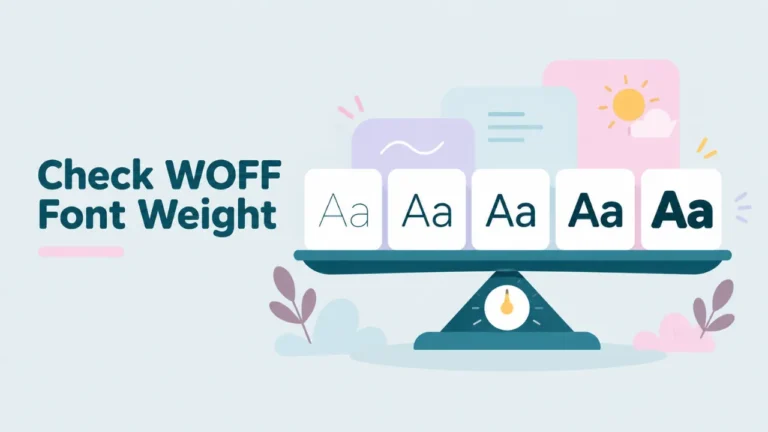
The Style field tells you the weight in words. If you need the exact number, like 400 or 700, use fontTools or FontForge to read the weight class. Our guide on checking the font weight of a WOFF file shows how.
Also check whether the file is a variable font. A variable font covers a range of weights in one file. If one WOFF2 file seems to be your whole family, it probably is variable.
5. Check the size
Font information shows two sizes: the WOFF2 file size and the uncompressed size.
For websites, the WOFF2 size is what visitors download. As a rough guide:
| WOFF2 size | Verdict for a website |
|---|---|
| Under 30 KB | Great |
| 30 to 80 KB | Fine |
| 80 to 200 KB | Consider trimming characters you do not use |
| Over 200 KB | Too big for most sites unless it covers many languages |
If the file is large, you can shrink it by removing characters you do not need. That process is called subsetting. We explain it in how to edit a WOFF file.
6. Check the license
The last and most important check. Scroll to the Copyright, License and License URL fields.
Common licenses you will see
| License | What it generally allows |
|---|---|
| SIL Open Font License (OFL) | Free use, including commercial. Changes allowed if you rename. |
| Apache License 2.0 | Free use, including commercial. |
| Commercial desktop license | Use on a set number of computers. Web use often extra. |
| Commercial web license | Use on specific websites, often with a page view limit. |
| Personal use only | No business use. |
These are only summaries. Always read the actual license text.
If the license fields are empty
An empty license field does not mean the font is free. It means the file does not say. Search for the font name and check the maker’s website.
Bonus checks for web developers
If the font is going on a website, check a few more things:
- Test it in several browsers. Chrome, Firefox and Safari all support WOFF2, but rendering differs slightly.
- Check the spacing at small sizes. Use the 14 px line in the viewer’s waterfall.
- Confirm the format. Make sure you really have WOFF2, not WOFF. The badge in the viewer tells you. Our guide on WOFF vs WOFF2 explains why it matters.
- Plan fallbacks. Choose a system font to show while the WOFF2 loads.
Checking a whole set of files
Projects often come with a folder of WOFF2 files. Check them as a set, not just one by one.
- Open each file and note its family, style and glyph count.
- Make sure every style you need is there: usually Regular, Italic, Bold and Bold Italic.
- Check that all files come from the same version of the font. Mixing versions can cause small spacing differences.
- Look for duplicates. Two files with the same style but different glyph counts are often language slices of the same font.
- Confirm they all have the same license.
Keep a simple font record
For client work, keep a short note for each font you use. Include the family name, the styles, where you got it, the license and the date. When someone asks months later “Can we use this font on the new app?”, you will have the answer in seconds. A spreadsheet with one row per font is enough.
A worked example
Say you receive a file called site-font.woff2 from a web developer. Here is how the check might go:
- It opens in the viewer. Valid file.
- Font family says Source Sans 3. Style says Regular. You note the version number.
- The glyph count is a few hundred. You type “Größe” and “Ça coûte”. Everything shows.
- Style says Regular, so you still need the Bold file for headings.
- The file is about 20 KB. Great for a website.
- The license field names the SIL Open Font License. Free to use.
Result: the font is fine to use, and you know you need one more file for Bold.
Common questions
Can I check a WOFF2 font on my phone?
Yes. Open the viewer in your phone’s browser and pick the file. All the checks above work.
Does checking change the file?
No. The viewer only reads the file.
Should I check fonts from Google Fonts too?
Yes, but mostly for characters and weights. Google Fonts are open source, so the license is rarely a problem. The files served on websites, though, are split by language. If you saved one from a site, it may only hold one slice.
What if the font fails a check?
Look for the full or latest version from the maker. Use the family name to search.
Summary
To check a WOFF2 font, open it in a free WOFF2 viewer and go through six points: valid file, exact name, characters, weight, size and license. It takes five minutes and catches the problems that usually show up at the worst time. For other ways to look inside the file, see how to read a WOFF2 file.